
Documentation
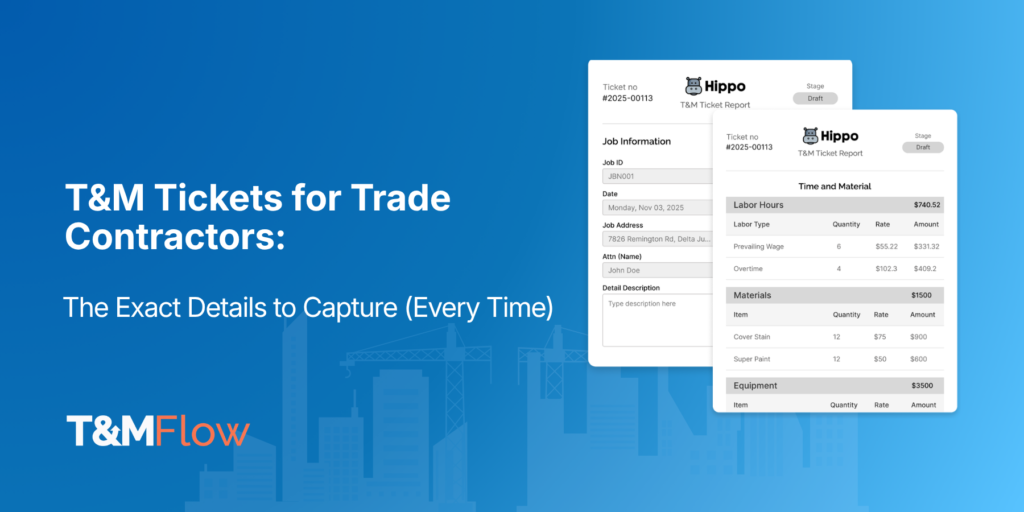
T&M Tickets for Trade Contractors: The Exact Details to Capture (Every Time)
In our previous post, we covered why T&M detail matters—and how missing info leaks margin. In this follow-up, we outline exactly what to capture on each ticket, then show a simple workflow to keep finance, risk, and operations aligned. Read: Why T&M Detail Matters
Why T&M Ticket Details Matter for Finance, Risk, and Operations
- Finance: fewer retypes and resubmissions; owner-portal-ready backup; lower DSO.
- Risk: clear entitlement trail (who asked, why, when); stronger footing in negotiations and claims.
- Operations: no hunting for details later; less back-and-forth with PMs and the client/GC.
We’ll cover exactly what to capture, how to run the workflow, and a short example. Guidance applies to T&M tickets for construction and fits digital or paper workflows (digital wins).
Important context: Every trade contractor, client, and project operates differently. The checklist below is not exhaustive and won’t be equally relevant in every situation. Treat it as a baseline and tailor to your trade, contract exhibits, and any client- or project-specific requirements (including owner-portal rules).
Tailor Your T&M Ticket by Trade
Every trade contractor, client, and project operates differently. Use this as a baseline checklist and tailor it to your trade, contract exhibits, and client or project-specific requirements.
- Electrical Contractors: conductor sizes, panel/gear IDs, torque values, termination photos.
- Mechanical/Plumbing: model/serials, valve/equipment tags, pressure/leak test readings.
- Drywall/Framing: area (sq ft), layer counts, fire-rated assemblies, before/after patch photos.
- Concrete: mix design, batch tickets, quantities by correct unit, placement window and curing notes.
- HVAC/Controls: point-to-point screenshots, commissioning notes, filter sizes, access constraints.
Avoid Over-Documenting:
Too much information slows field capture, delays reviews, and introduces inconsistencies, privacy concerns, and portal upload limits. Capture what proves scope, time, and entitlement—no more, no less—and add only client/project-required items.
The Trade Contractor’s Core T&M Ticket Checklist
Use this on every time and material ticket, then add or remove items based on client/project requirements.
1) Identifiers & linkage
- Project name/number, ticket number, date, location/area, your company.
- Link to authorization/WO/RFI/PCO and any owner-portal reference (anchors entitlement to direction).
2) Scope (specific + causal)
- What was done, where, and why (unforeseen condition, client/GC direction, failed inspection).
- Note constraints that drove time/cost: shutdown window, escorted access, hot work, after-hours.
3) Labor (finance-ready)
- Names/IDs, craft/role, RT/OT/DT hours, optional start/stop, rate-basis reference (contract exhibit—no dollars on field copy).
- Record wait/idle time with cause (for example, “awaiting access”) to preserve entitlement.
- Formatting note: Use full role names on tickets and PDFs; avoid abbreviations (for example, “Journeyman Electrician,” “Apprentice Electrician,” “Foreman,” “General Foreman”).
4) Materials (verifiable)
- Item, quantity + unit, source (stock vs. supplier), ticket/invoice number, delivery time/location; note returns/waste.
- Use correct units (ft, lbs, tons, each) to reduce reviewer cuts.
5) Equipment (billable clarity)
- Type/model, hours or in/out times, attachments, and purpose tied to scope (for example, “scissor lift for overhead demo”).
6) Photos & attachments (evidence)
- Before/during/after photos; annotate location when possible.
- Attach site direction emails/texts and marked-up plan snippets.
- Redact or avoid sensitive info unless specifically required by client/project spec.
7) Approvals (on-site or remote)
- Preferred: on-site signature from client/GC representative (name, title, signature, timestamp).
- If on-site isn’t possible: remote approval via email, text, or portal notification captured the same day (log representative name/title/time and attach acknowledgment).
- Record your supervisor sign-off for internal control.
8) Contract cost-basis references
- Reference the T&M rate exhibit, markups, per-diem, and small-tools policy. Pricing is applied in the office.
9) Exceptions/notes (risk flags)
- Safety holds, access limits, utility locates, changed method by direction, coordination delays.
10) Submission & handoff (start the cash clock)
- Same-day digital submission to Ops/Finance with confirmation.
- Track status: submitted → accepted by client/GC → posted to invoice package.
- Attach only items required by the client/project portal to avoid bloat and delays.
Why Digital T&M Tickets Beat Paper Workflows
Digital T&M tickets enforce required fields, split labor by craft/OT, apply units via dropdowns, capture signatures on-device or attach remote approvals, embed timestamps/geotags, and export clean PDFs for portals. Paper invites gaps, illegible handwriting, and scanning delays—exactly what drives short-pays and higher DSO. If you must use paper, scan and validate the same day.
Mini case: emergency panel swap (electrical trade contractor)
- Trigger: outage window opened at 00:30 by GC directive.
- Scope: replace failed panel in Mech Room 2; tie-in feeders; re-energize.
- Labor: Journeyman Electrician 6.0 hrs (OT), Apprentice Electrician 5.5 hrs (OT)—rate basis per Exhibit B.
- Equipment: 19’ scissor lift, 3.5 hrs; torque wrench set.
- Materials: (3) lugs (each), (12) ft THHN #2, (1) panel kit; supplier ticket #78421.
- Photos: before (failed breaker), during (install), after (panel closed/energized) with location notes.
- Approvals: on-site signature from area superintendent at 01:40; backup remote email confirmation logged in thread.
- Outcome: time and material ticket approved without cuts and billed same week via owner portal.
Objections & Straight Answers
- “Field doesn’t have time.”
Digital dropdowns and required fields are faster and prevent rework later. - “Client won’t sign on site.”
Capture remote approval the same day via email/text/portal—many contracts accept digital sign-offs. - “Should we attach everything?”
No. Attach only what proves scope, time, and entitlement, plus required client/project items.
Conclusion: right-sized documentation wins
Missing fields invite cuts. Extra, irrelevant attachments slow review. Standardize the right details for digital T&M tickets, tailor for the trade, client, and project, and you’ll see fewer disputes, cleaner portal submissions, and faster cash.
Found this useful? Get new T&M guides in your inbox.
No spam. Unsubscribe anytime. By subscribing, you agree to our Privacy Policy.

Frequently Asked Questions
Identifiers/linkage, specific scope (what/where/why), labor by craft, materials with quantity + unit, equipment hours, photos, approvals, contract references, and same-day submission.
Yes. Photos provide proof, and digital signatures or portal approvals create a clear audit trail.
They prevent missing info, embed timestamps/geotags, and export clean PDFs—cutting review time and short-pay risk.
No questions match that search.